
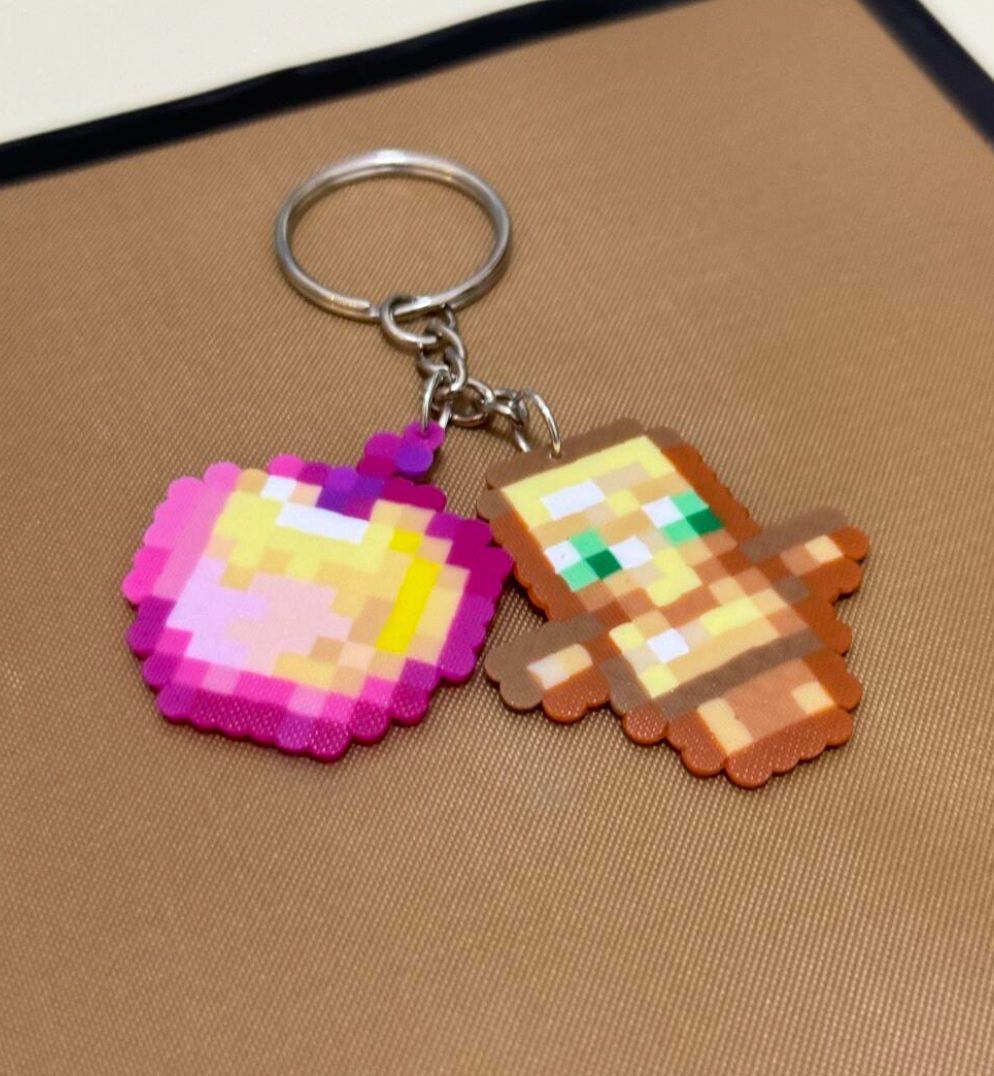
In Minecraft, the Totem of Undying is that one item you never want to leave home without. It's the difference between a long walk back to your base and staying in the fight. Translating that golden, winged sprite into Perler beads is a popular project because the pixel art translates almost perfectly to a standard pegboard grid.
Project Overview
The Minecraft Totem of Undying is a mid-sized project. It's not a five-minute craft, but it won't take all weekend either. Most people finish it in about 45 minutes.
- Difficulty: Intermediate (due to color shading)
- Bead Count: ~380 beads
- Pegboards: 2 interlocking square boards
- Final Size: Roughly 4.5 x 6 inches
To get the proportions right, you'll need to connect two boards vertically. One board is just slightly too short for the wings and the base.
The Color Palette
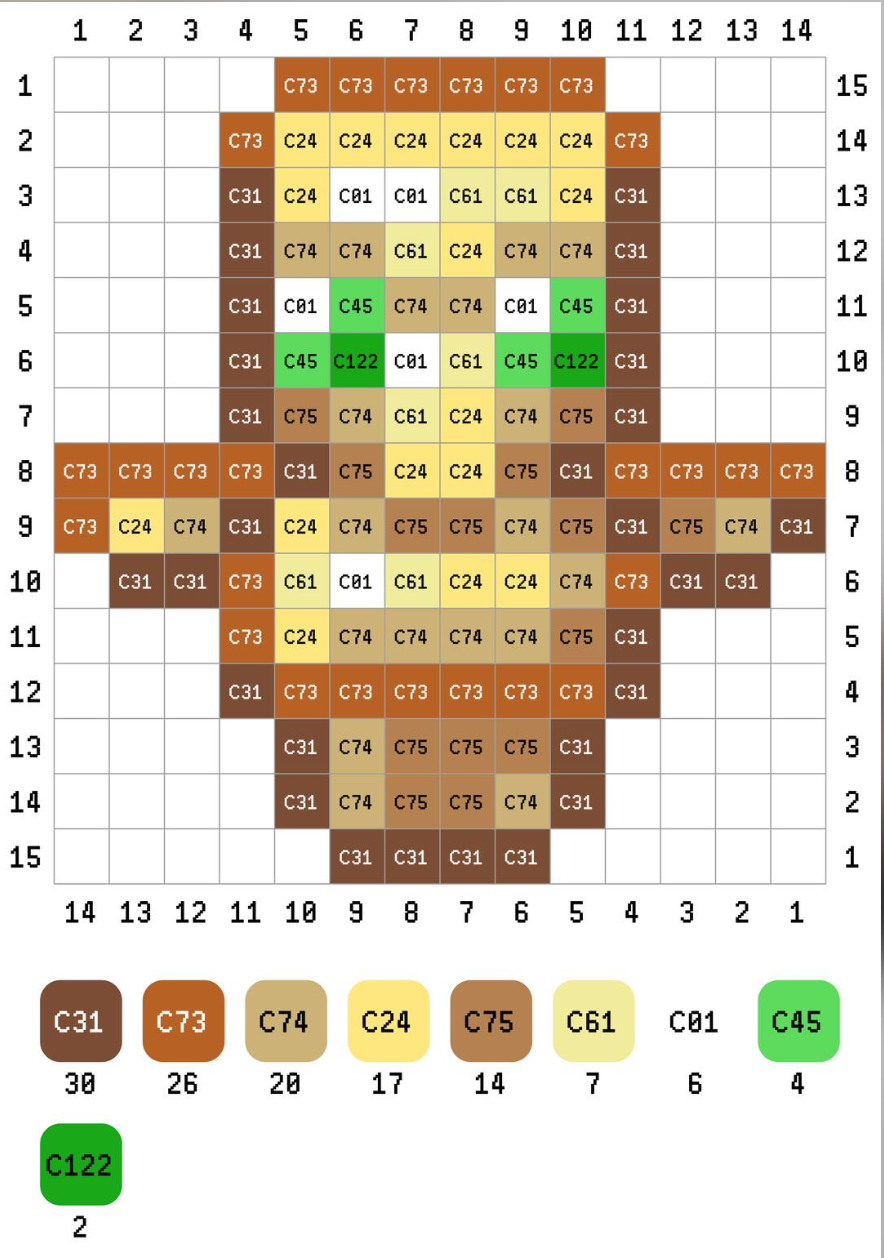
Getting the "gold" look right is the hardest part. If you only use yellow, it looks flat. Mixing yellow, orange, and tan gives it that metallic depth seen in the game.
| Color Group | Perler Bead Name | Approx. Count |
|---|---|---|
| Outline | Brown | 65 |
| Primary Gold | Yellow | 85 |
| Shading | Orange / Butterscotch | 35 |
| Face/Skin | Tan or Sand | 40 |
| Crystals/Eyes | Green & Pastel Green | 80 |
| Accents | Black & White | 60 |
If you're missing a specific shade, you can always use a bead pattern generator to swap colors based on what's currently in your craft bin.
Step-by-Step Assembly
- Connect your boards. Make sure the teeth are fully clicked in. If they aren't level, your beads will jump around when you try to iron them.
- Start with the dark brown outline. I usually start from the bottom base and work my way up to the wings. This creates a "container" so you don't lose track of your counting.
- Place the emerald eyes. The eyes are the focal point. Use a dark green for the pupil and a lighter green for the rest of the gem.
- Fill the body. Use a mix of yellow and orange. Don't worry about making it perfectly symmetrical—the in-game sprite has some slight variation in shading.
- The Wings. These are mostly green and light green. They represent the "crystals" the totem holds.
I personally use tweezers for the face area. My fingers are way too big to drop a single black bead into a sea of tan without knocking everything over. (Yes, it happens to everyone.)
Ironing and Finishing
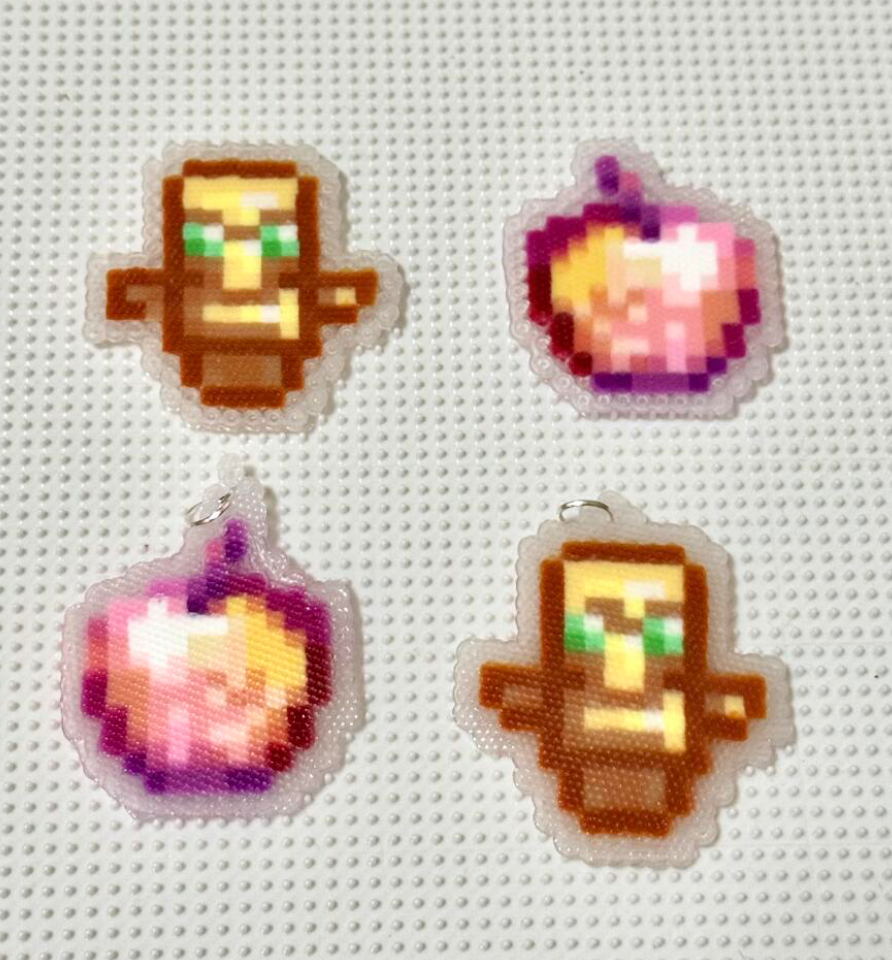
The "tape method" is highly recommended here. Because the totem has thin sections where the wings meet the body, it's prone to snapping if the melt isn't perfectly even.
Cover the design in masking tape, poke holes in the beads (optional but helps with airflow), and pull it off the board. Iron the non-taped side first. Use a medium heat setting. If you go too hot, the beads turn into puddles; too cool, and they won't stick. It's a frustrating balance sometimes.
Once it's warm, put a heavy book on it. Leave it there for 10 minutes. If you don't, the plastic will curl as it cools, and you'll end up with a wobbly totem.
Frequently Asked Questions
How many pegboards do I need for a Totem of Undying?
You need two standard 29x29 pegboards connected vertically to fit the full height of the totem.
What is the best way to display the finished piece?
Many crafters use adhesive magnets on the back or place them in a 5x7 shadow box to protect the fragile wing joints.